openEuler 20.03 (LTS-SP2) aarch64 cephadm 部署ceph18.2.0【7】 部署RGW 使用rdb(RADOS BLOCK DEVICE)失败
接上篇。
接上篇
openEuler 20.03 (LTS-SP2) aarch64 cephadm 部署ceph18.2.0【1】离线部署 准备基础环境-CSDN博客
openEuler 20.03 (LTS-SP2) aarch64 cephadm 部署ceph18.2.0【3】bootstrap 解决firewalld防火墙导致的故障-CSDN博客
openEuler 20.03 (LTS-SP2) aarch64 cephadm 部署ceph18.2.0【4】 添加mon节点 manifest unknown(bug?)
openEuler 20.03 (LTS-SP2) aarch64 cephadm 部署ceph18.2.0【5】 添加osd存储节点
openEuler 20.03 (LTS-SP2) aarch64 cephadm 部署ceph18.2.0【6】 Ceph文件系统 CephFS的使用 fio测试-CSDN博客
专业名词
| 名词 | 全称 | 解释 |
| RADOS | Reliable, Autonomic Distributed Object Store |
可靠、自主的分布式对象存储 Ceph的核心之一 |
| RBD | RADOS BLOCK DEVICE | RADOS块存储设备 |
| PG | Placement Groups |
|
| RGW | RADOS Gateway | RADOS Gateway( RGW) 提供了 S3 和 Swift 接口兼容的对象存储服务,可以将 Ceph 存储集群暴露为云存储服务 |
创建存储池
参考官方文档
---------------
CHOOSING THE NUMBER OF PGS
If you have more than 50 OSDs, we recommend approximately 50-100 PGs per OSD in order to balance resource usage, data durability, and data distribution. If you have fewer than 50 OSDs, follow the guidance in the preselection section. For a single pool, use the following formula to get a baseline value:
Total PGs = \(\frac{OSDs \times 100}{pool \: size}\)
Here pool size is either the number of replicas for replicated pools or the K+M sum for erasure-coded pools. To retrieve this sum, run the command .ceph osd erasure-code-profile get
Next, check whether the resulting baseline value is consistent with the way you designed your Ceph cluster to maximize data durability and object distribution and to minimize resource usage.
This value should be rounded up to the nearest power of two.
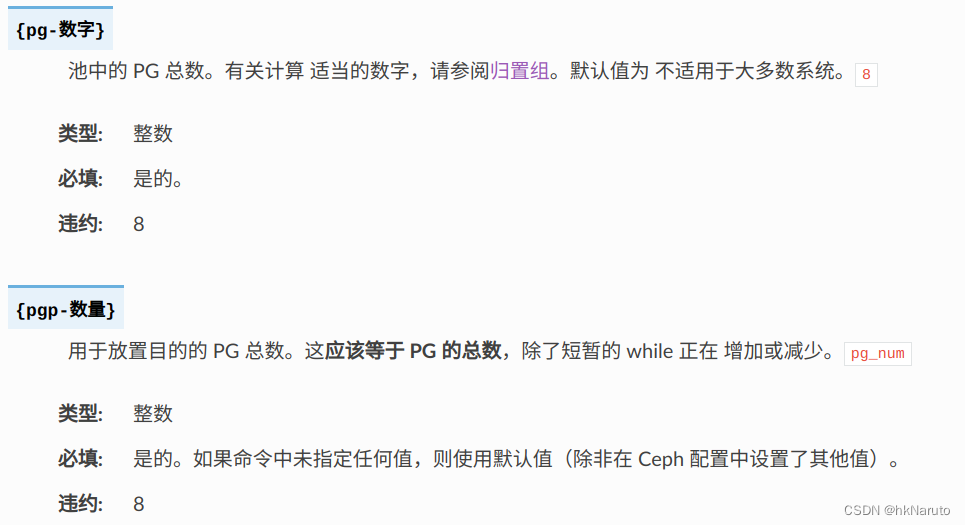
Each pool’s should be a power of two. Other values are likely to result in uneven distribution of data across OSDs. It is best to increase for a pool only when it is feasible and desirable to set the next highest power of two. Note that this power of two rule is per-pool; it is neither necessary nor easy to align the sum of all pools’ to a power of two.pg_numpg_numpg_num
For example, if you have a cluster with 200 OSDs and a single pool with a size of 3 replicas, estimate the number of PGs as follows:
\(\frac{200 \times 100}{3} = 6667\). Rounded up to the nearest power of 2: 8192.
When using multiple data pools to store objects, make sure that you balance the number of PGs per pool against the number of PGs per OSD so that you arrive at a reasonable total number of PGs. It is important to find a number that provides reasonably low variance per OSD without taxing system resources or making the peering process too slow.
For example, suppose you have a cluster of 10 pools, each with 512 PGs on 10 OSDs. That amounts to 5,120 PGs distributed across 10 OSDs, or 512 PGs per OSD. This cluster will not use too many resources. However, in a cluster of 1,000 pools, each with 512 PGs on 10 OSDs, the OSDs will have to handle ~50,000 PGs each. This cluster will require significantly more resources and significantly more time for peering.
For determining the optimal number of PGs per OSD, we recommend the PGCalc tool.
pg-num 应该等于 pgp-num
---------------
这个PGCalc网页打不开,且域名前缀old,网上查询反馈已被官方放弃!
Login - Red Hat Customer Portal
上面这个在线工具,登录也不能使用,会直接跳转回/labs/路径!
上面的计算公式也没看明白。随便设置一个数(保证2的次方),设置由ceph自动调整
创建存储池
创建名称为block-pool的存储池,预设pg、pgp=64、预设自动设置pg
[ceph: root@ceph-176 /]# ceph osd pool create block-pool 64 64 --autoscale-mode=on
pool 'block-pool' created
设置副本数=3

[ceph: root@ceph-176 /]# ceph osd pool set block-pool size 3
set pool 4 size to 3
查看存储池详细信息
ceph osd dump | grep block
初始化块设备池
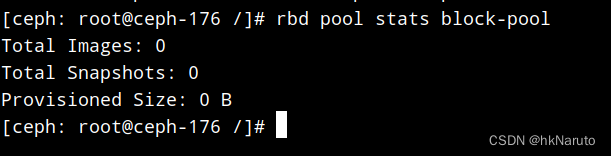
rbd pool init block-pool查看池状态
创建块设备用户
[ceph: root@ceph-176 /]# ceph auth get-or-create client.blockuser mon 'allow r' osd 'allow * pool=block-pool'
[client.blockuser]
key = AQC+THlltjqNJhAAKx1BX6K4RNq3TyTt9YPcew==
[ceph: root@ceph-176 /]# ceph auth get client.blockuser -o /etc/ceph/ceph.client.blockuser.keyring
#查看秘钥及权限
[ceph: root@ceph-176 /]# cat /etc/ceph/ceph.client.blockuser.keyring
[client.blockuser]
	key = AQC+THlltjqNJhAAKx1BX6K4RNq3TyTt9YPcew==
	caps mon = "allow r"
	caps osd = "allow * pool=block-pool"
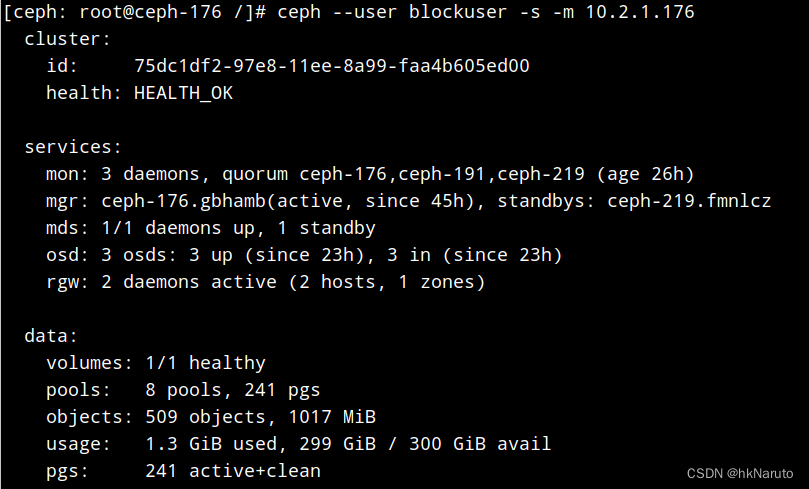
测试秘钥
创建块设备镜像
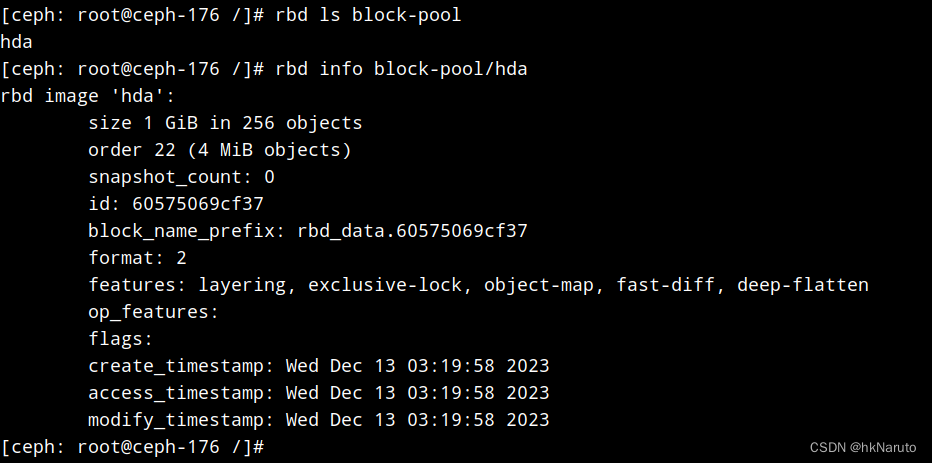
在存储池block-pool内创建一个大小1GB,名称hda的镜像
rbd create --size 1G block-pool/hda查看镜像信息
部署RGW
在ceph-176 ceph-191节点上各部署一个rgw服务,名称rgw-service
[ceph: root@ceph-176 /]# ceph orch apply rgw rgw-service --placement="2 ceph-176 ceph-191"
Scheduled rgw.rgw-service update...
查看服务部署情况
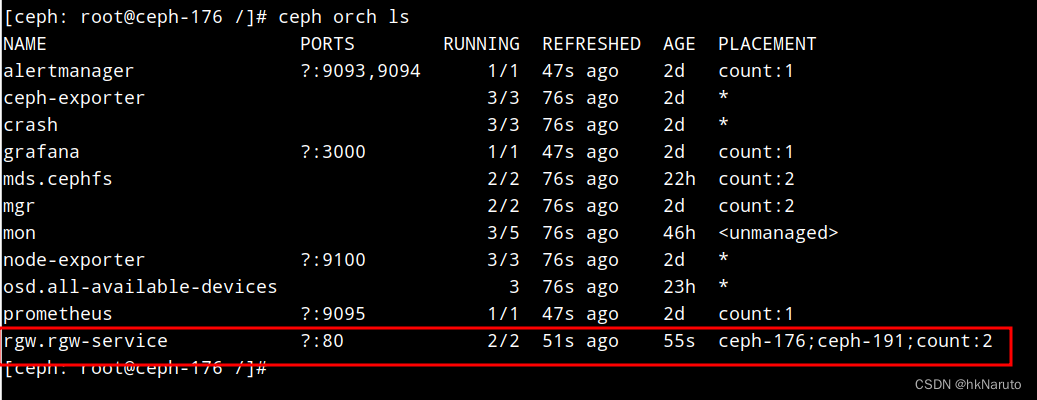
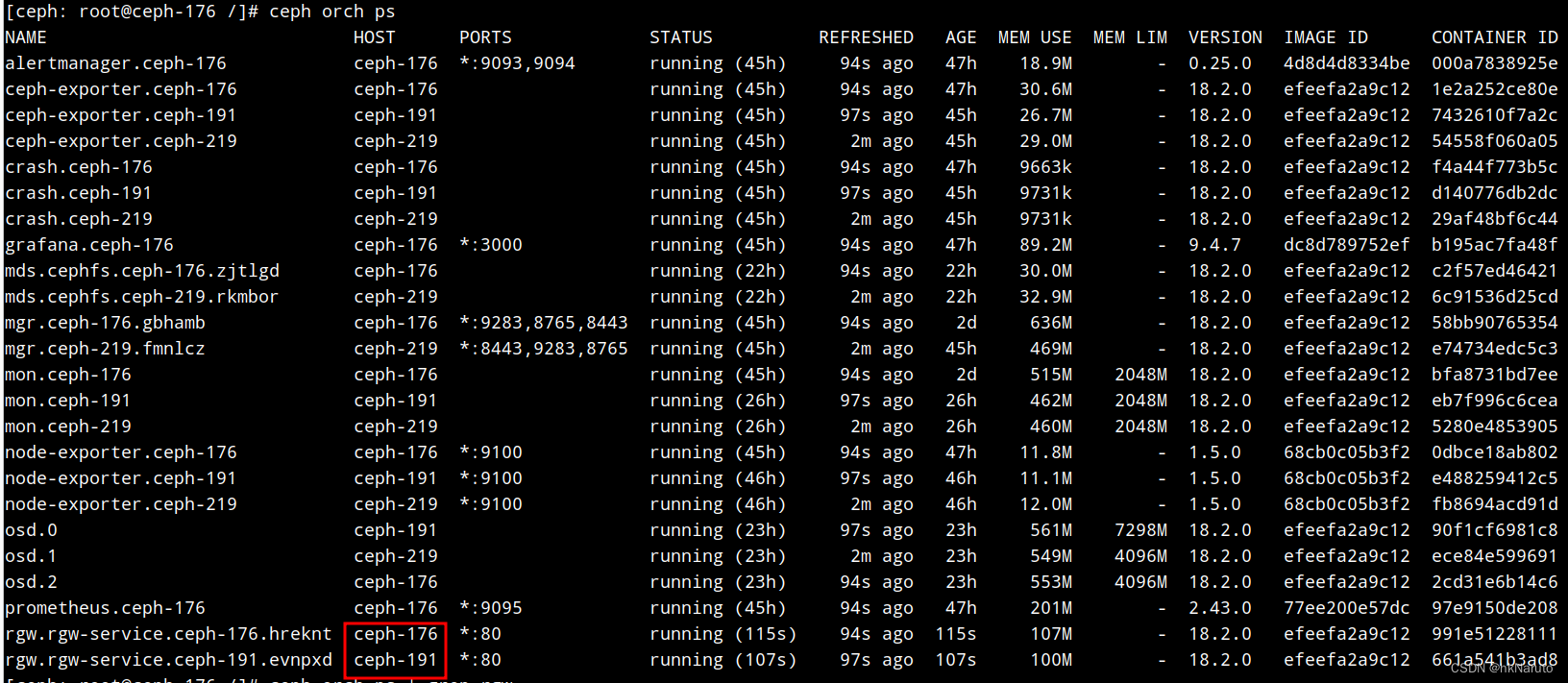
客户端:linux内核模块挂载块设备
秘钥配置文件
本次测试,客户端采用kylin系统,已安装了ceph-common,包含rbd指令。

复制前面的/etc/ceph/ceph.client.blockuser.keyring 到客户端/etc/ceph/ceph.client.blockuser.keyring
内容如下:
[client.blockuser]
key = AQC+THlltjqNJhAAKx1BX6K4RNq3TyTt9YPcew==
caps mon = "allow r"
caps osd = "allow * pool=block-pool"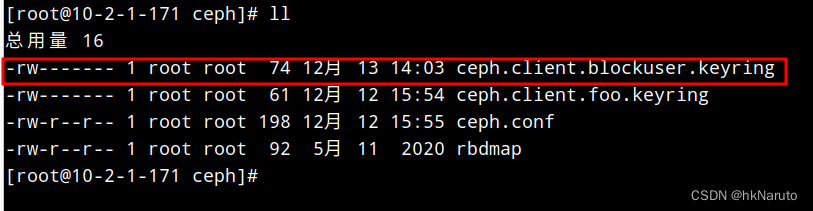
测试秘钥(故障:No module named prettytable)
[root@10-2-1-171 ceph]# ceph --user blockuser -s -m 10.2.1.176
Traceback (most recent call last):
File "/usr/bin/ceph", line 136, in <module>
from ceph_daemon import admin_socket, DaemonWatcher, Termsize
File "/usr/lib/python2.7/site-packages/ceph_daemon.py", line 21, in <module>
from prettytable import PrettyTable, HEADER
ImportError: No module named prettytable
可以看到是python2缺少PrettyTable,直接从源内安装即可
yum install python2-prettytable再次测试卡主(版本不匹配???)

map失败

dmesg

在集群节点上挂载测试(失败)
cephadm容器内失败
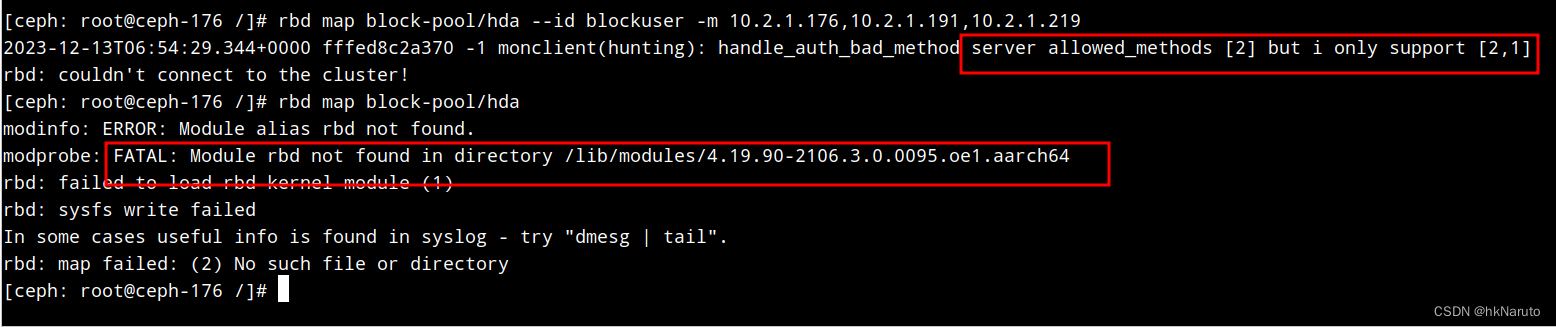
直接在系统内安装ceph-common测试(版本号有差异!)
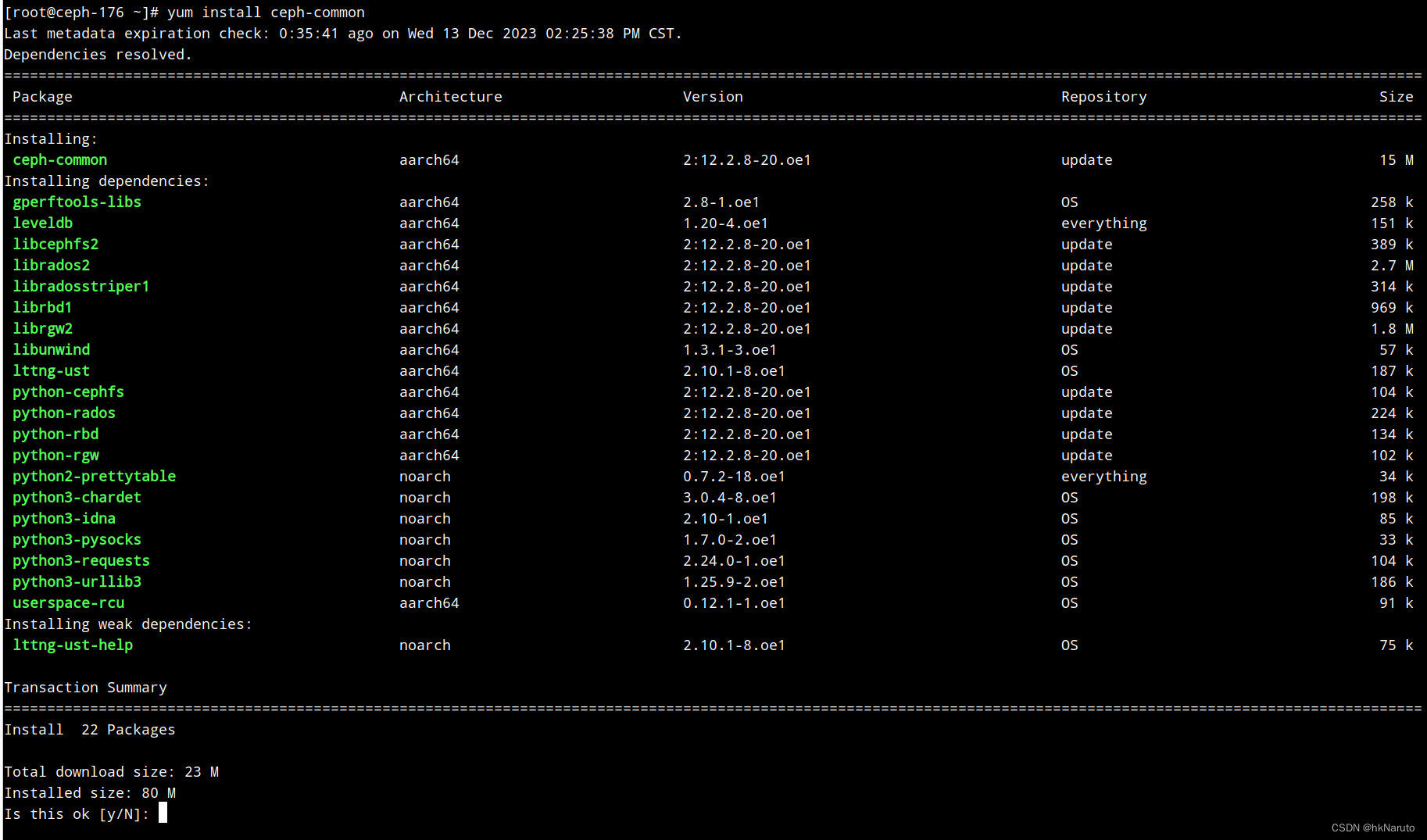
创建秘钥文件
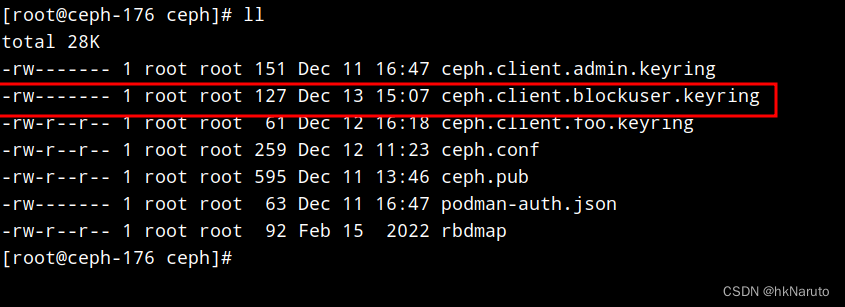
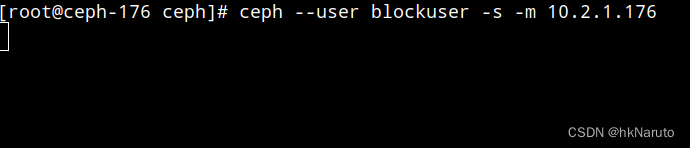
看样子确实是版本问题
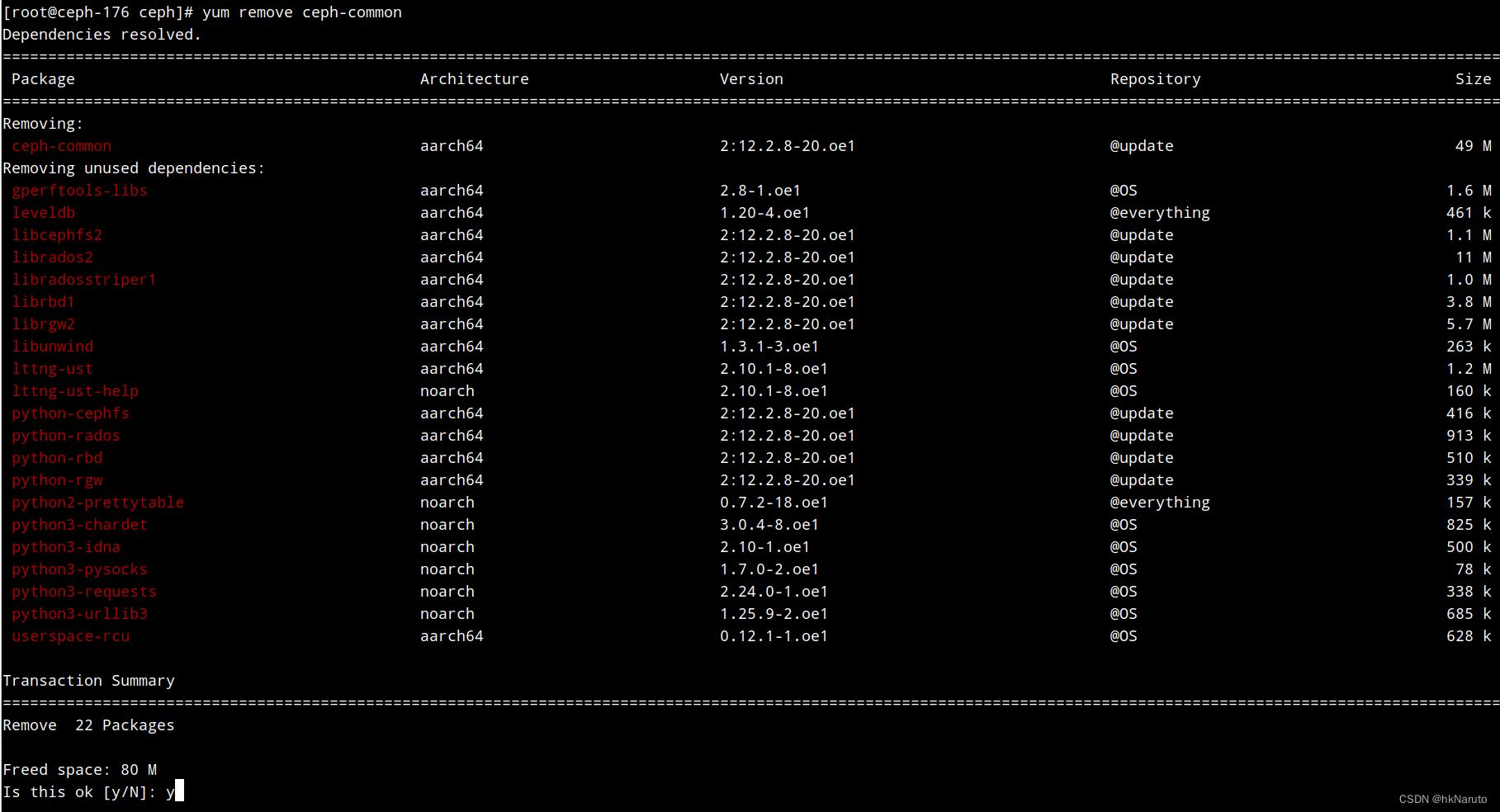
卸载
这个RGW应该是用于对象存储服务的,于此无关?
参考
Placement Groups — Ceph Documentation
【超详细】Ceph到底是什么?本文为你解答,看完就懂 - 知乎
RGW Service — Ceph Documentation

鲲鹏昇腾开发者社区是面向全社会开放的“联接全球计算开发者,聚合华为+生态”的社区,内容涵盖鲲鹏、昇腾资源,帮助开发者快速获取所需的知识、经验、软件、工具、算力,支撑开发者易学、好用、成功,成为核心开发者。
更多推荐

 21
21 0
0- 0


 已为社区贡献19条内容

所有评论(0)