
具身智能工业视觉分析与物联监护应用演练
·
实训报告--具身智能工业视觉分析与物联监护应用演练
拟制__________________________________________________________
1 工效组合展示
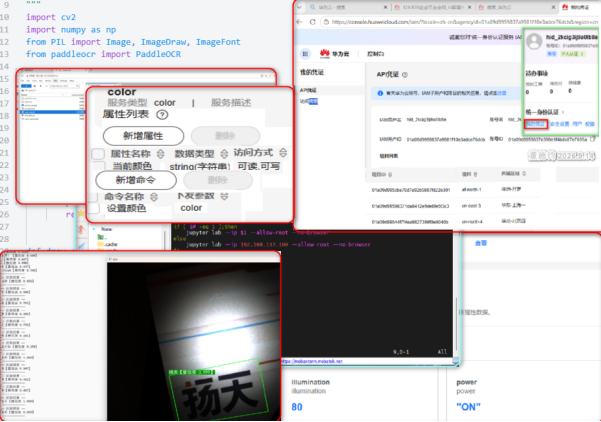
2 具身智能工业视觉获取与分析应用
2.1 工具软件安装

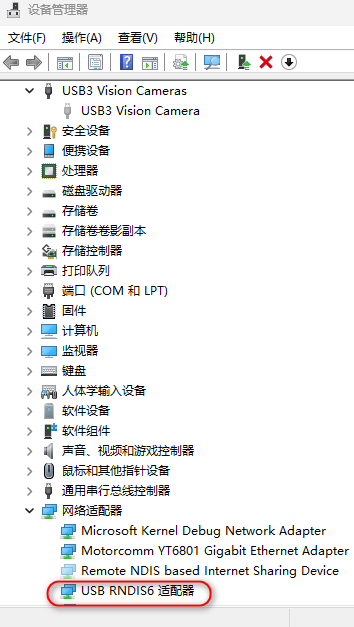
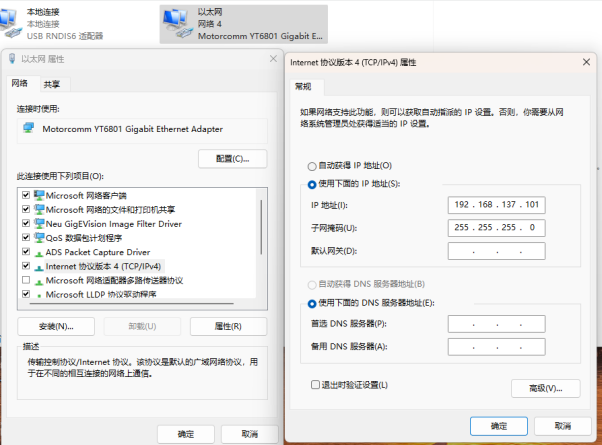
2.2 工业视觉环境构建与应用
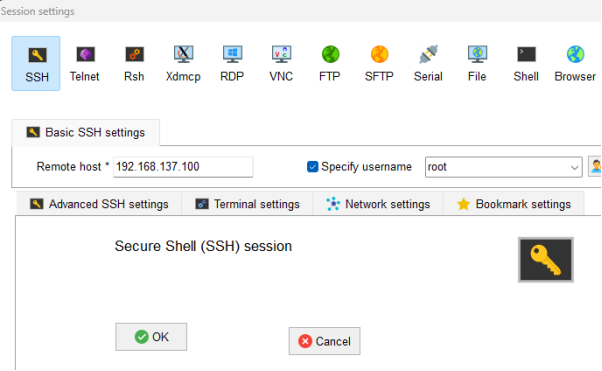
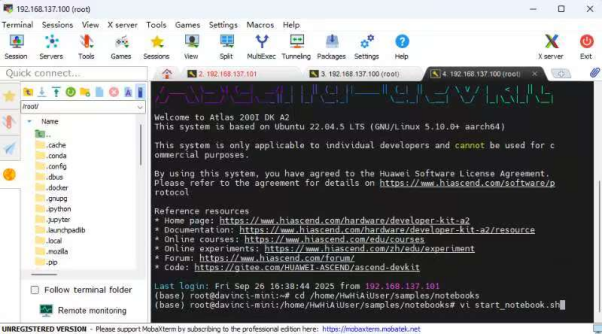
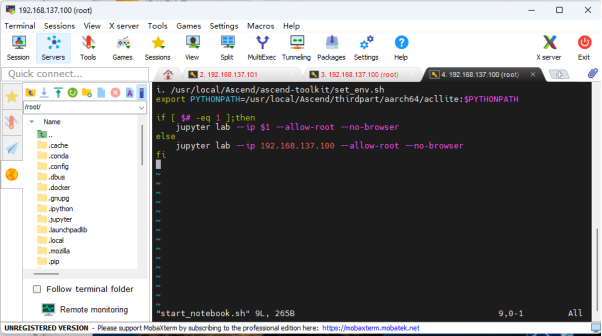
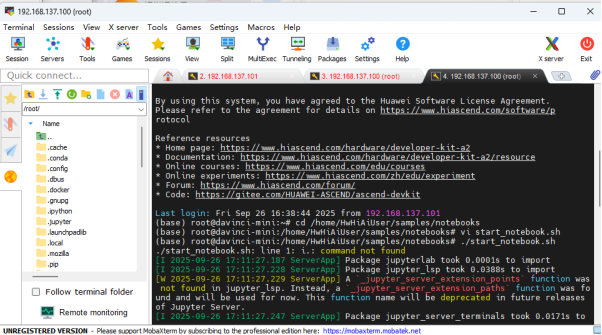
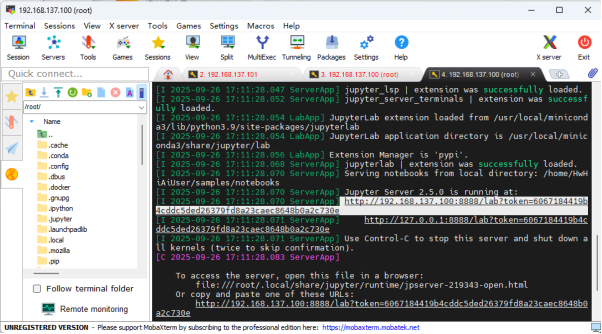
2.3 昇腾工业视觉终端应用展现
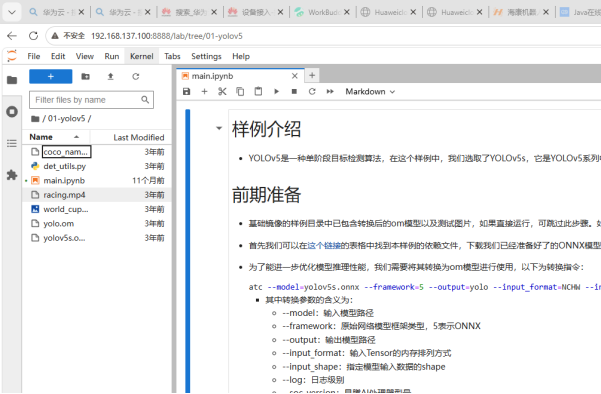
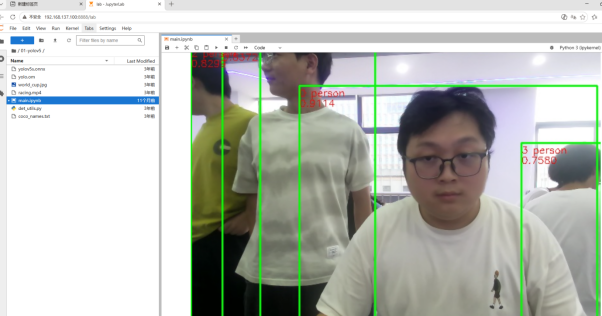
3 具身智能工业视觉识别快速编码实现
3.1 IMA-DS借力
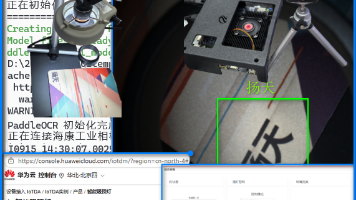
给出PYTHON虚拟环境OCR文字识别的编码及其运行过程,包括汉字,WINDOWS环境,非COnDA,使用本机连接的网络摄像机
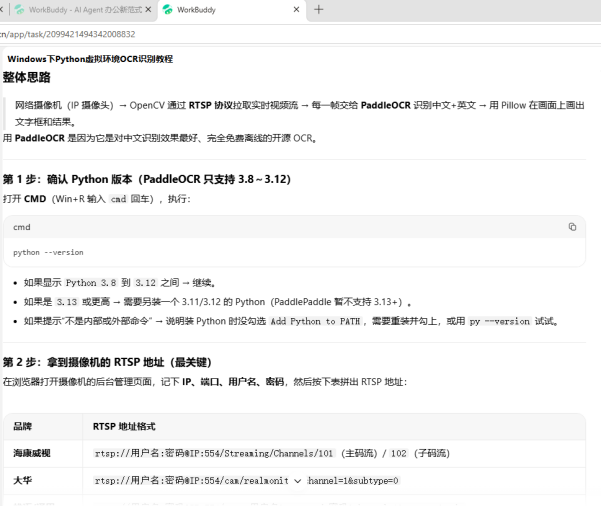
3.2 运行环境构造
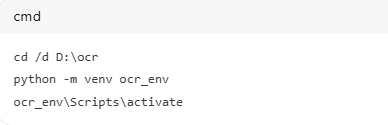
3.3 编码
# -*- coding: utf-8 -*-
"""
海康工业相机(USB)+ PaddleOCR 实时文字识别
按 q 退出,按 s 保存截图
"""
import os
import sys
import cv2
import numpy as np
from PIL import Image, ImageDraw, ImageFont
from paddleocr import PaddleOCR

# ===== 海康运行时路径 =====
runtime = r"C:\Program Files (x86)\Common Files\MVS\Runtime\Win64_x64"
os.environ["PATH"] = runtime + os.pathsep + os.environ.get("PATH", "")
try:
    os.add_dll_directory(runtime)
except Exception:
    pass

from hikrobot import DeviceManager, CameraDevice

# ===== 可修改的设置 =====
FONT_PATH = "C:/Windows/Fonts/simhei.ttf"
SKIP_FRAMES = 2        # 每隔几帧识别一次
IMG_MAX_WIDTH = 1280   # 处理/显示宽度(相机 3072 宽,缩小更快)
# ========================


def load_font():
    try:
        return ImageFont.truetype(FONT_PATH, 24)
    except Exception:
        return ImageFont.load_default()


def raw_to_bgr(raw, fi):
    """备用转换:直接按像素格式转(颜色不对就换对应行)"""
    w, h = fi.nWidth, fi.nHeight
    pf = int(fi.enPixelType)
    img = np.frombuffer(bytes(raw)[:w * h], dtype=np.uint8).reshape(h, w)
    table = {
        17301505: cv2.COLOR_GRAY2BGR,   # Mono8
        17301513: cv2.COLOR_BayerRG2BGR,  # BayerRG8
        17301514: cv2.COLOR_BayerGR2BGR,
        17301515: cv2.COLOR_BayerGB2BGR,
        17301516: cv2.COLOR_BayerBG2BGR,
    }
    if pf in table:
        return cv2.cvtColor(img, table[pf])
    raise RuntimeError(f"不支持的像素格式 {pf},请在 MVS 里设为 Mono8 或 BayerRG8")


def frame_to_bgr(cam, raw, fi):
    """优先用官方转换,失败则用备用"""
    try:
        rgb = cam.convert_to_rgb(raw, fi)
        frame = np.frombuffer(bytes(rgb), dtype=np.uint8)
        frame = frame.reshape(fi.nHeight, fi.nWidth, 3)
        return cv2.cvtColor(frame, cv2.COLOR_RGB2BGR)
    except Exception:
        return raw_to_bgr(raw, fi)


def get_boxes(page):
    for key in ("rec_polys", "dt_polys", "rec_boxes"):
        if key in page:
            val = page[key]
            if val is not None and len(val) > 0:
                return list(val)
    return []


def draw_chinese(img_bgr, boxes, texts, scores, font):
    img_rgb = cv2.cvtColor(img_bgr, cv2.COLOR_BGR2RGB)
    pil = Image.fromarray(img_rgb)
    draw = ImageDraw.Draw(pil)

    for box, text, score in zip(boxes, texts, scores):
        pts = np.array(box, dtype=np.float32).reshape(-1, 2)
        if len(pts) >= 4:
            draw.polygon([tuple(p) for p in pts], outline=(0, 255, 0), width=3)
            x, y = pts[0]
        elif len(pts) == 2:
            x1, y1 = pts[0]
            x2, y2 = pts[1]
            draw.rectangle([x1, y1, x2, y2], outline=(0, 255, 0), width=3)
            x, y = x1, y1
        else:
            continue

        label = f"{text}【置信度 {float(score):.3f}】"
        ty = max(0, int(y) - 30)
        bbox = draw.textbbox((int(x), ty), label, font=font)
        draw.rectangle(bbox, fill=(0, 150, 0))
        draw.text((int(x), ty), label, font=font, fill=(255, 255, 255))

    return cv2.cvtColor(np.array(pil), cv2.COLOR_RGB2BGR)


def main():
    print("正在加载中文识别模型,请稍等……")
    ocr = PaddleOCR(
        lang="ch",
        use_doc_orientation_classify=False,
        use_doc_unwarping=False,
        use_textline_orientation=False,
        enable_mkldnn=False,
    )
    print("模型加载完成!")
    font = load_font()

    # ===== 连接海康工业相机 =====
    print("正在连接海康工业相机……")
    infos = DeviceManager.enumerate()
    if infos.nDeviceNum == 0:
        print("没找到相机!检查 USB 线,并确认 MVS 客户端已关闭")
        return

    info = infos.pDeviceInfo[0].contents   # 第一台相机
    cam = CameraDevice(info)
    if not cam.create_handle_and_open():
        print("相机打开失败!请确认 MVS 客户端已完全关闭后重试")
        return

    cam.start_grabbing()
    print("相机开始采集!窗口里按 q 退出,按 s 保存截图。")

    frame_idx = 0
    last_display = None
    fail_cnt = 0

    try:
        while True:
            fd = cam.get_one_frame(1000)
            if fd is None:
                fail_cnt += 1
                if fail_cnt % 50 == 0:
                    print("取图连续失败,检查相机连接/MVS 是否占用")
                continue

            raw, fi = fd
            frame = frame_to_bgr(cam, raw, fi)

            # 缩放到合适的处理尺寸
            if IMG_MAX_WIDTH > 0 and frame.shape[1] > IMG_MAX_WIDTH:
                sc = IMG_MAX_WIDTH / frame.shape[1]
                frame = cv2.resize(frame, (IMG_MAX_WIDTH, int(frame.shape[0] * sc)))

            frame_idx += 1

            if frame_idx % (SKIP_FRAMES + 1) != 0:
                show = last_display if last_display is not None else frame
                cv2.imshow("OCR", show)
            else:
                result = ocr.predict(frame)
                page = result[0]

                texts = list(page["rec_texts"])
                scores = list(page["rec_scores"])
                boxes = get_boxes(page)

                if texts:
                    print("—— 识别结果 ——")
                    for t, s in zip(texts, scores):
                        print(f"{t}【置信度 {float(s):.3f}】")
                    print("--------------")
                    frame = draw_chinese(frame, boxes, texts, scores, font)

                last_display = frame
                cv2.imshow("OCR", frame)

            key = cv2.waitKey(1) & 0xFF
            if key == ord("q"):
                break
            elif key == ord("s"):
                cv2.imwrite("capture.jpg", frame)
                print("已保存截图 capture.jpg")
    finally:
        for fn in ("stop_grabbing", "close_and_destroy"):
            try:
                getattr(cam, fn)()
            except Exception:
                pass
        cv2.destroyAllWindows()
        print("已退出。")


if __name__ == "__main__":
    try:
        main()
    except KeyboardInterrupt:
        print("已退出。")
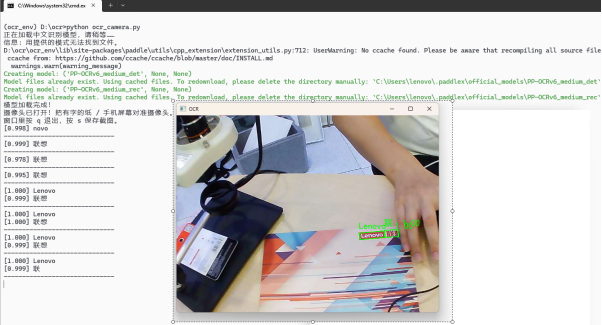
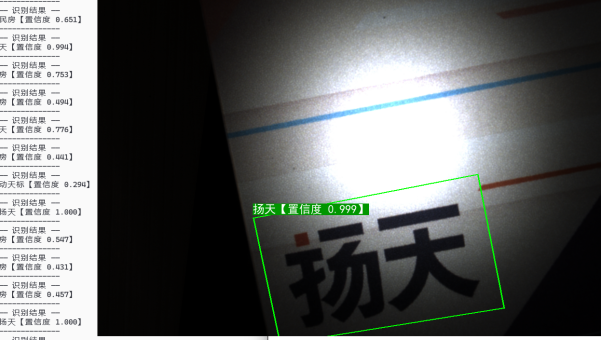
3.4 运行测试
4 IoTDA中转空间构建
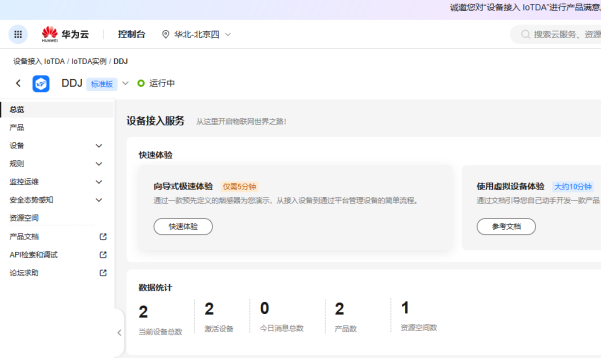
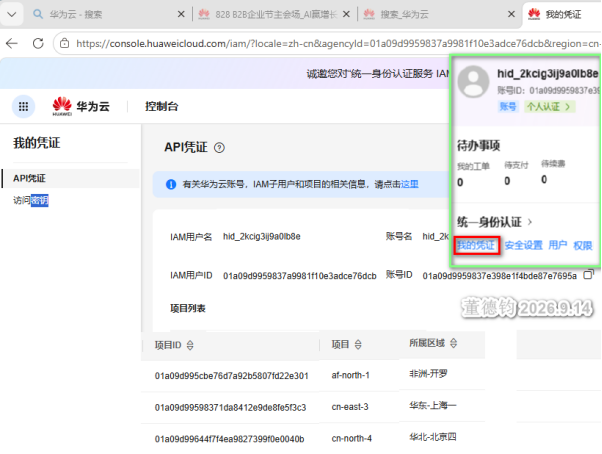
4.0 IoTDA构造
4.1 产品及其模型构建
4.1.1 温湿度计
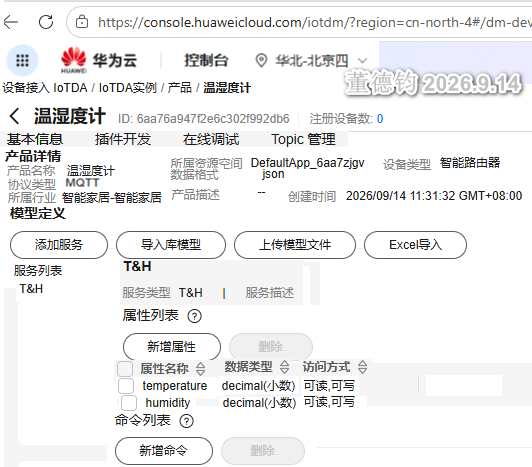
4.1.2 吸顶灯
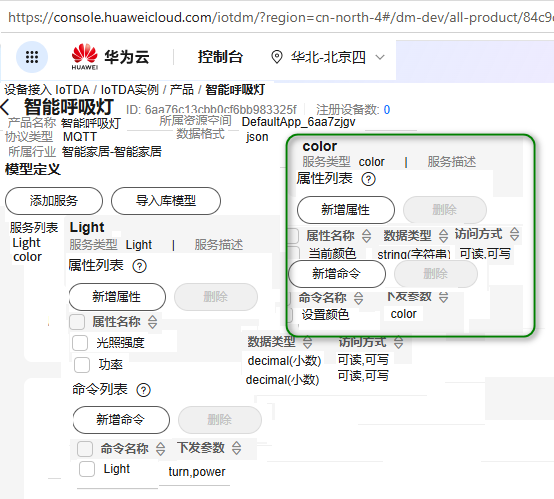
4.2 设备实例化应用
4.2.1 温湿度计设备注册及模拟测试
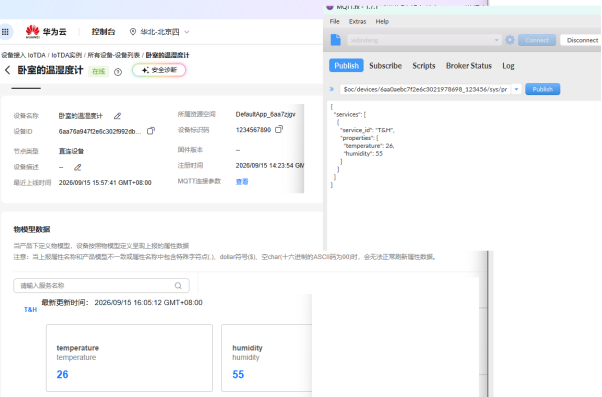
4.2.2 吸顶灯设备注册及模拟测试
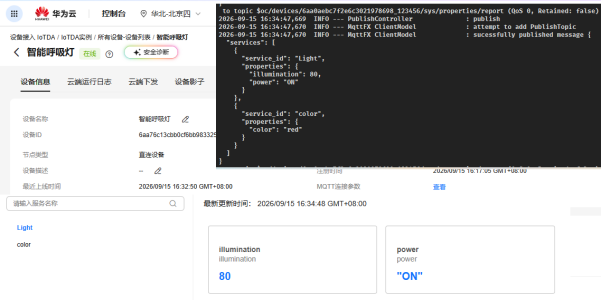
5 CodeArts智慧路灯快速构建与部署
5.1 应用项目创建
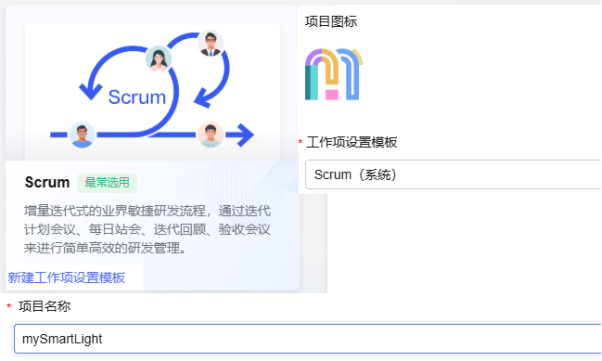
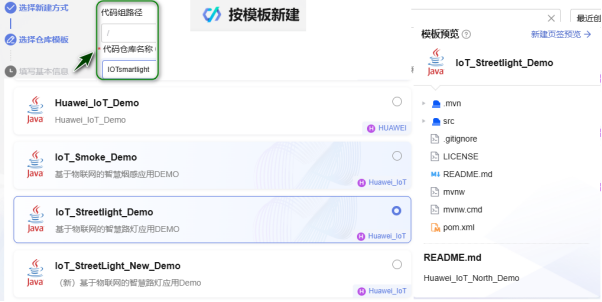
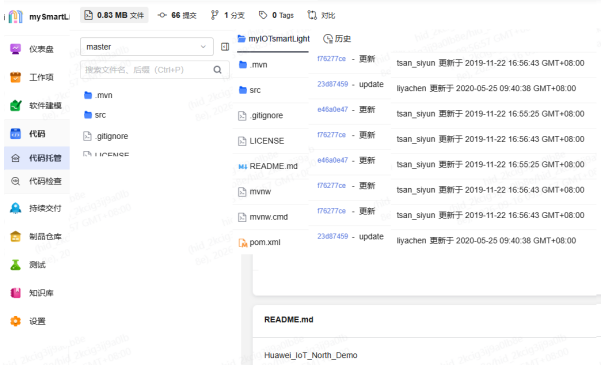
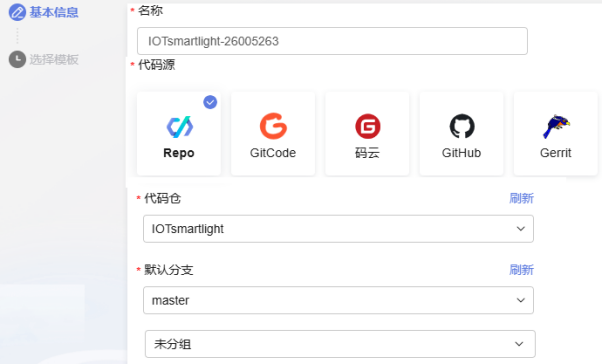
5.2 代码托管操作
5.3 构建任务设立
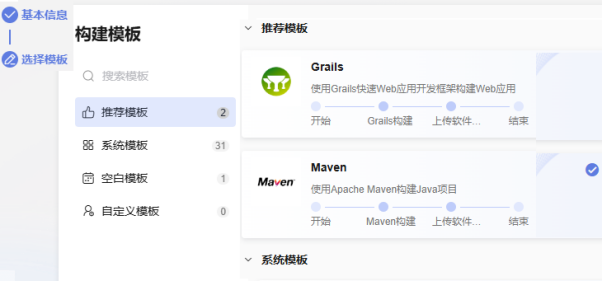
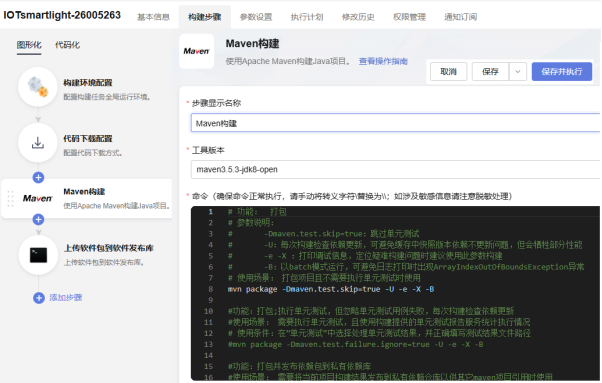
5.4 项目构建实现
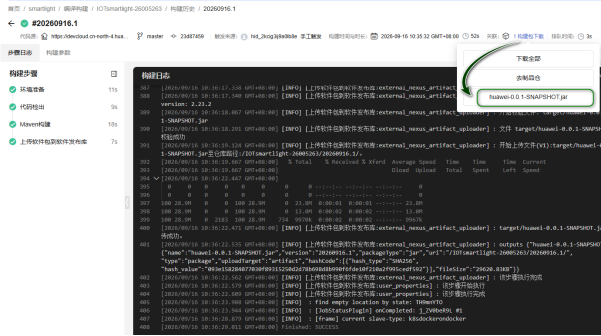
5.5 项目部署运行
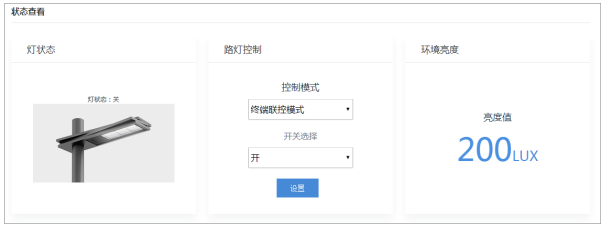

鲲鹏昇腾开发者社区是面向全社会开放的“联接全球计算开发者,聚合华为+生态”的社区,内容涵盖鲲鹏、昇腾资源,帮助开发者快速获取所需的知识、经验、软件、工具、算力,支撑开发者易学、好用、成功,成为核心开发者。
更多推荐
 1
1 0
0- 0


 已为社区贡献1条内容

所有评论(0)