
【Github项目】ARIEL-SRT部署教程
一、环境准备
1、适用系统:Windows
2、适用Python版本:Python3
3、前提条件:Python环境,Thinplate等依赖库,PyTorch。
4、简介:ariel_srt 用于空间转录组数据分析,支持地标筛选、刚性配准及基因表达转移预测,助力空间基因表达研究。
二、安装步骤
1、下载项目压缩包
https://github.com/shilab-ecnu/ARIEL-SRT/archive/refs/heads/main.zip
2、安装Thinplate等依赖库
方法一(解压进入项目目录,直接用命令安装requirements需求文件里的库):
(1)进入项目目录
cd D:\ARIEL-SRT-main
d:
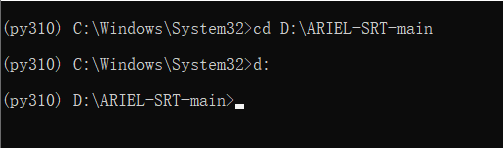
(2)执行命令安装依赖库
pip install -r requirements.txt
涉及github库thinplate可能需要开梯子:
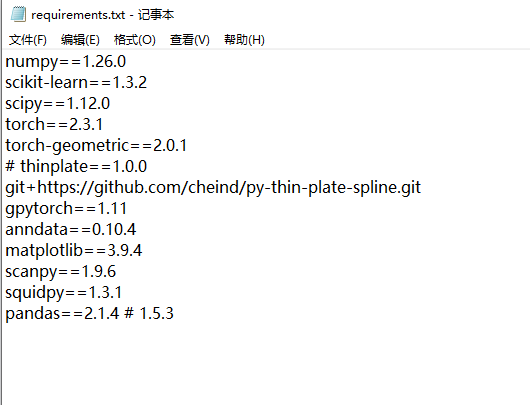
若方法一失败,可执行方法二:
(1)下载thinplate项目压缩包
https://github.com/cheind/py-thin-plate-spline/archive/refs/heads/master.zip
(2)解压进入项目目录并安装
cd D:\py-thin-plate-spline-master
pip install -e .

(3)安装其他依赖库
pip install numpy==1.26.0 scikit-learn==1.3.2 scipy==1.12.0 torch==2.3.1 torch-geometric==2.0.1 gpytorch==1.11 anndata==0.10.4 matplotlib==3.9.4 scanpy==1.9.6 squidpy==1.3.1 pandas==2.1.4
3、安装ariel-srt库
pip install ariel-srt --no-deps
三、使用与测试
1、使用测试环境Python版本:Python3.10
2、使用示例代码
测试代码:
import numpy as np
import math
import torch
import matplotlib.pyplot as plt
import scanpy as sc
import squidpy as sq
import anndata as ad
import pandas as pd
import anndata
from ariel_srt.Landmark import normalization_spatial, Rasterization, alternative_landmark, screen_landmark
from ariel_srt.Alignment import rigid_alignment
from ariel_srt.Transfer import Appro_GP
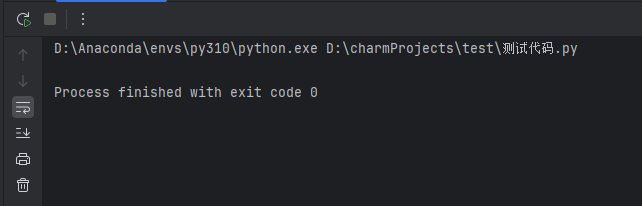
运行结果:
四、补充与扩展
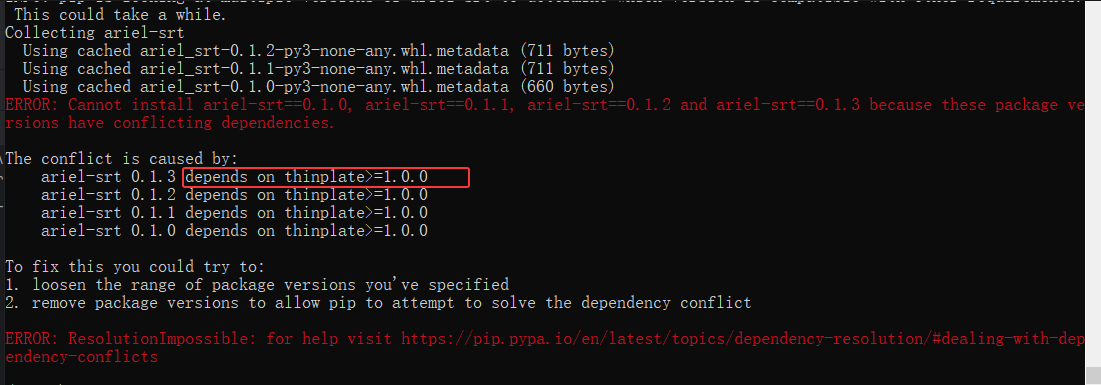
1、若不安装thinplate依赖库直接安装ariel-srt,会出现以下报错:

鲲鹏昇腾开发者社区是面向全社会开放的“联接全球计算开发者,聚合华为+生态”的社区,内容涵盖鲲鹏、昇腾资源,帮助开发者快速获取所需的知识、经验、软件、工具、算力,支撑开发者易学、好用、成功,成为核心开发者。
更多推荐
 15
15 0
0- 0


 已为社区贡献1条内容

所有评论(0)