
Linux新手安装phylip教程
02.下载压缩包,然后上传服务器并进行解压缩。05测试命令,出现如下交互,说明安装成功。01.###phylip软件下载地址。
·
01.###phylip软件下载地址
https://phylipweb.github.io/phylip/
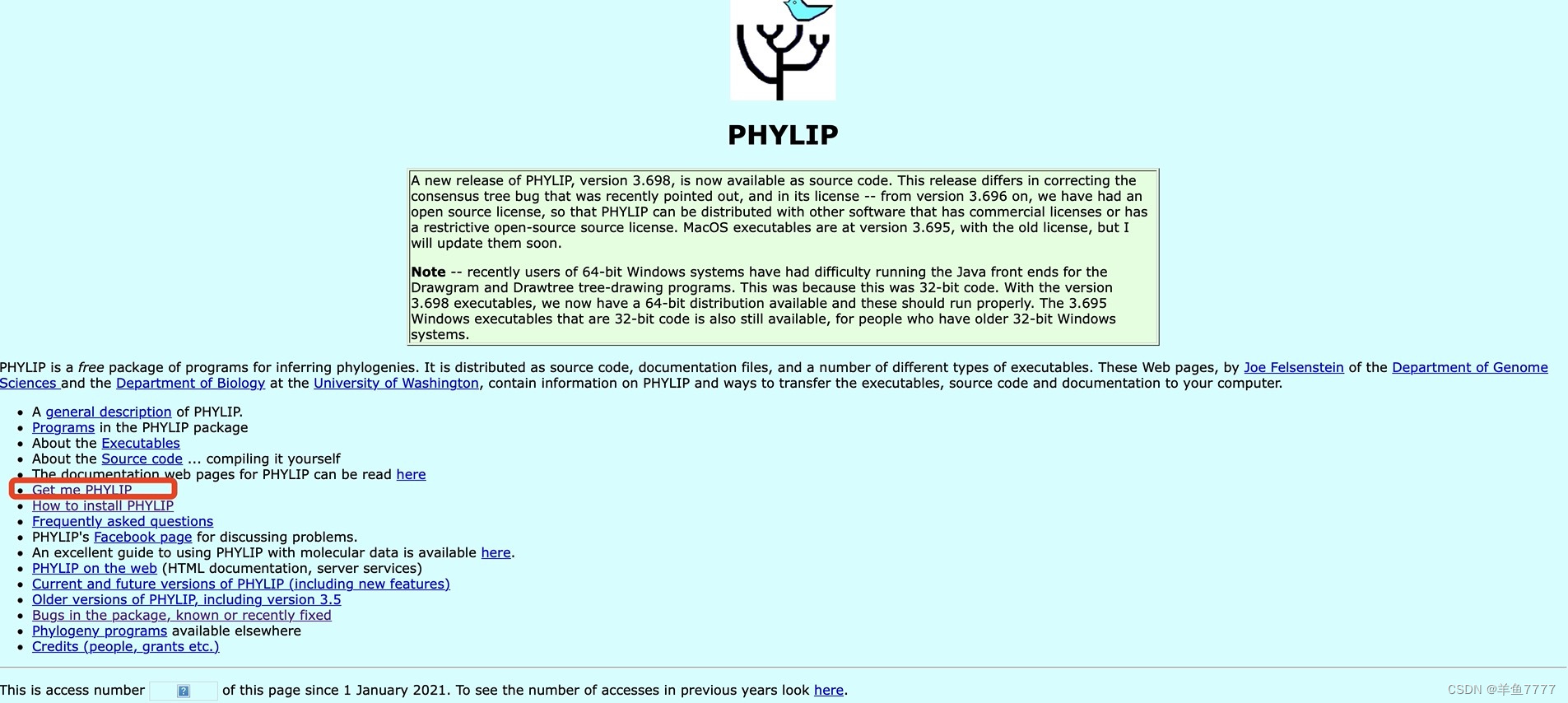
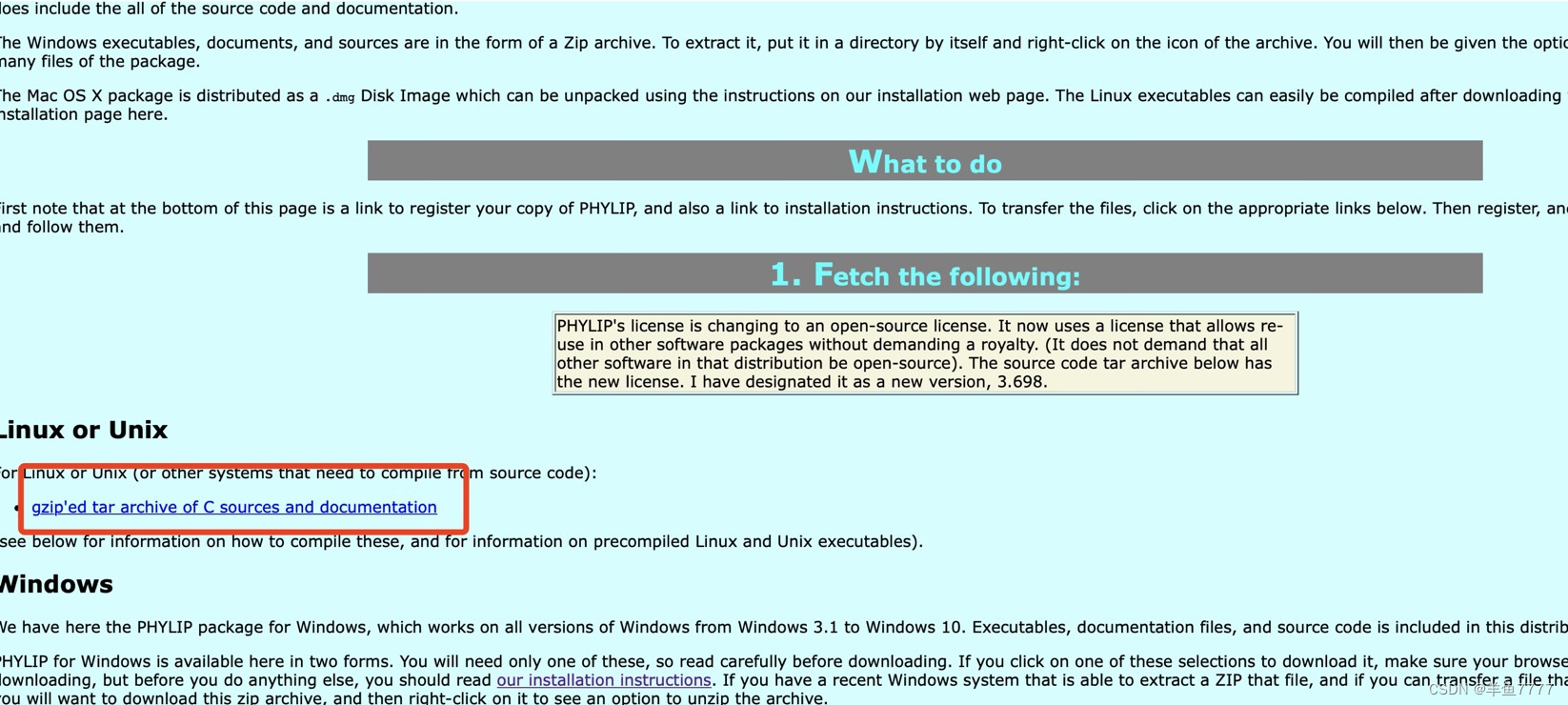
02.下载压缩包,然后上传服务器并进行解压缩
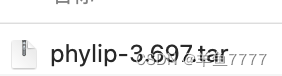
tar -xvf phylip-3.697.tar03.编译
[yangYL@tc6000]$ cd phylip-3.697

[yangYL@tc6000 phylip-3.697]$ ll

# doc
# exe
# phylip.html
# src

[yangYL@tc6000 phylip-3.697]$ cd src

[yangYL@tc6000 src]$ make -f Makefile.unx install

##....编译结束后出现以下结果,说明成功
#gcc  draw.o draw2.o drawtree.o phylip.o -lm -o drawtree
#gcc  -o libdrawgram.so -shared -fPIC drawgram.c draw.c draw2.c phylip.c
#gcc  -o libdrawtree.so  -shared -fPIC drawtree.c draw.c draw2.c phylip.c
#Finished compiling.
#Installing PHYLIP v3.6 binaries in ../exe
#Installing dynamic libraries in ../exe
#Installing jar files in ../exe
#Installing font files in ../exe
#Finished installation.
#Removing object files to save space
#Finished removing object files.  Now will remove
#executable files from the current directory, but not from the
#executables directory.  (If some are not here, the makefile
#will terminate with an error message but this is not a problem)
#Removing executables from this directory
#Finished cleanup.
#Done.
04 查看命令
[yangYL@tc6000 src]$ cd ../
[yangYL@tc6000 phylip-3.697]$ cd exe/
[yangYL@tc6000 exe]$ ls
clique    dnainvar  dollop            drawtree          font2    kitsch          pars      restdist
consense  dnaml     dolmove           DrawTree.jar      font3    libdrawgram.so  penny     restml
contml    dnamlk    dolpenny          DrawTreeJava.unx  font4    libdrawtree.so  proml     retree
contrast  dnamove   drawgram          factor            font5    mix             promlk    seqboot
dnacomp   dnapars   DrawGram.jar      fitch             font6    move            protdist  treedist
dnadist   dnapenny  DrawGramJava.unx  font1             gendist  neighbor        protpars
05 测试命令,出现如下交互,说明安装成功
[yangYL@tc6000 exe]$ ./dnadist
##出现以下命令,进入交互式界面说明安装成功
dnadist: can't find input file "infile"
Please enter a new file name> 
鲲鹏昇腾开发者社区是面向全社会开放的“联接全球计算开发者,聚合华为+生态”的社区,内容涵盖鲲鹏、昇腾资源,帮助开发者快速获取所需的知识、经验、软件、工具、算力,支撑开发者易学、好用、成功,成为核心开发者。
更多推荐
 4
4 0
0- 0


 已为社区贡献1条内容

所有评论(0)