
麒麟V10安装todesk记录openEuler也可以参考
·
因为是arm架构的,而且只能使用yum命令安装。
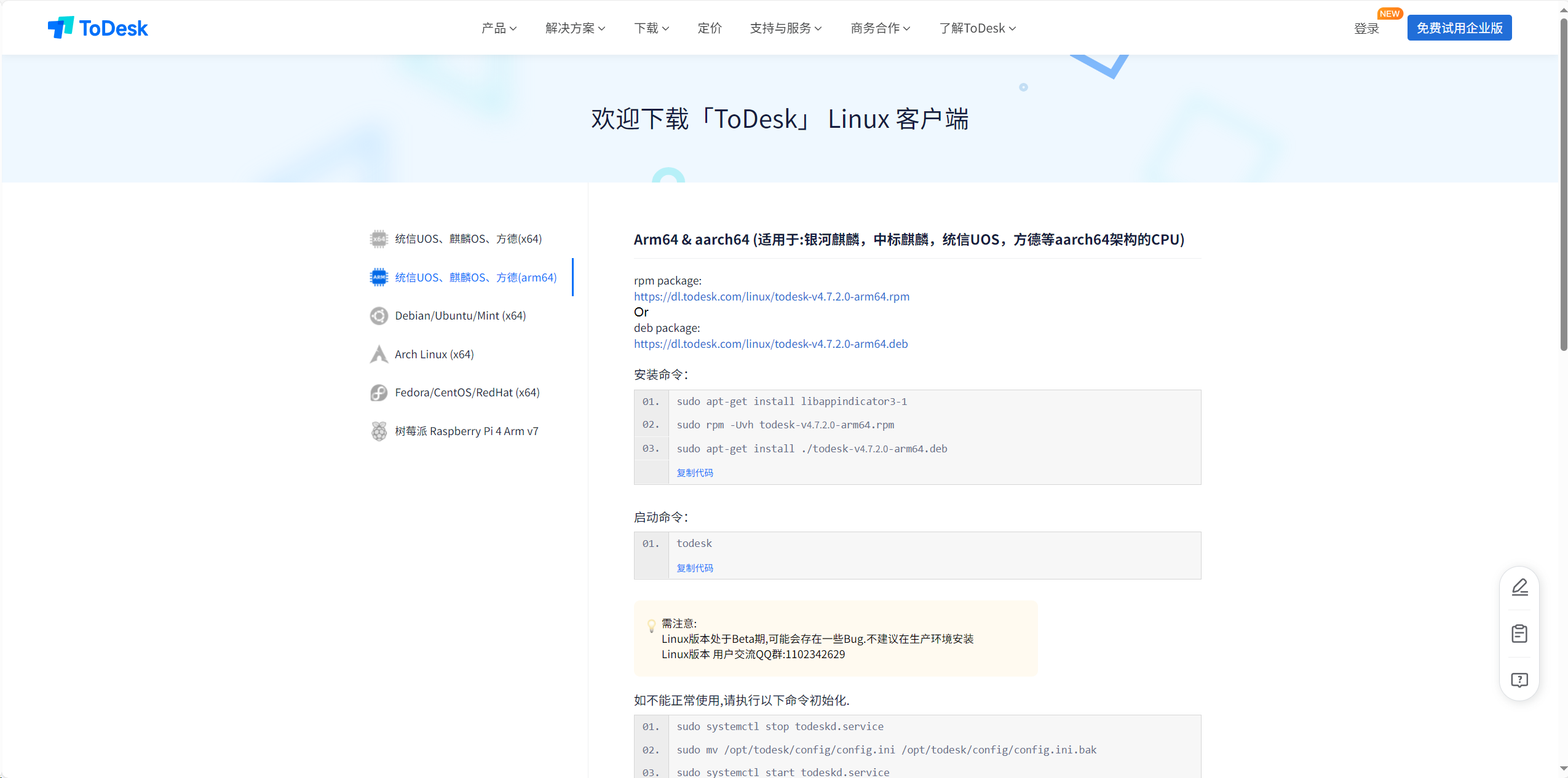
先在todesk官网下载合适的rpm包
01.
sudo apt-get install libappindicator3-1

02.
sudo rpm -Uvh todesk-v4.7.2.0-arm64.rpm
sudo rpm -ivh --nodeps ./todesk-v4.7.2.0-arm64.rpm
一直报错
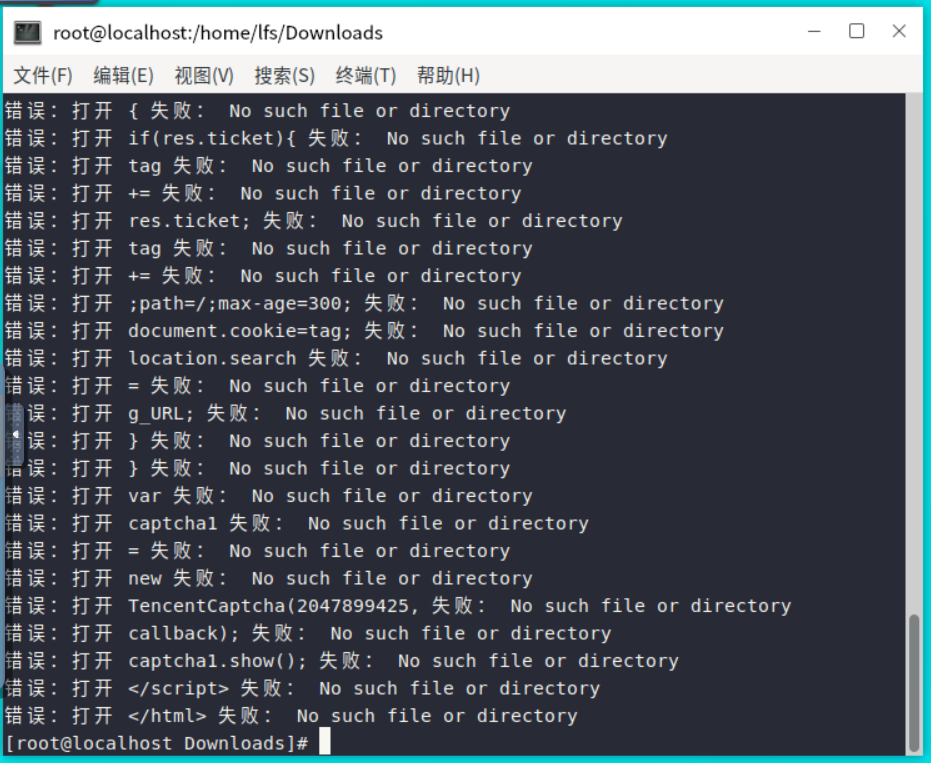
然后百度了一下,是因为下载的问题,下载的是一个html文件
file todesk-v4.7.2.0-arm64.rpm

害得我折腾好久
删掉之前的包
重新下载后安装
wget https://dl.todesk.com/linux/todesk-v4.7.2.0-arm64.rpm
还是下载的html,估计是网络问题
直接下载到本地再上传到服务器
安装成功
sudo rpm -ivh todesk-v4.7.2.0-arm64.rpm

# 启动后台服务
sudo systemctl start todeskd

# 设置开机自启
sudo systemctl enable todeskd

# 查看运行状态
systemctl status todeskd
启动的时候报错
[root@Applycation-server Downloads]# systemctl status todeskd
● todeskd.service - ToDesk Daemon Service
   Loaded: loaded (/etc/systemd/system/todeskd.service; enabled; vendor preset: disabled)
   Active: active (running) since Fri 2025-07-04 00:00:15 CST; 42s ago
 Main PID: 2480439 (ToDesk_Service)
    Tasks: 25
   Memory: 52.0M
   CGroup: /system.slice/todeskd.service
           ├─2480439 /opt/todesk/bin/ToDesk_Service
           ├─2480445 pulseaudio --start --log-target=syslog
           ├─2480446 /usr/libexec/pulse/gsettings-helper
           └─2480479 /usr/libexec/pulse/gconf-helper

7月 04 00:00:15 Applycation-server systemd[1]: Started ToDesk Daemon Service.
7月 04 00:00:15 Applycation-server pulseaudio[2480442]: [pulseaudio] main.c: 不应以 root 身份运行本程序(除非指定 --system 参数)。
7月 04 00:00:15 Applycation-server pulseaudio[2480445]: [pulseaudio] authkey.c: Failed to open cookie file '/root/.config/pulse/cookie': 没有那个文件或目录
7月 04 00:00:15 Applycation-server pulseaudio[2480445]: [pulseaudio] authkey.c: Failed to load authentication key '/root/.config/pulse/cookie': 没有那个文件或目录
7月 04 00:00:15 Applycation-server pulseaudio[2480445]: [pulseaudio] authkey.c: Failed to open cookie file '/root/.pulse-cookie': 没有那个文件或目录
7月 04 00:00:15 Applycation-server pulseaudio[2480445]: [pulseaudio] authkey.c: Failed to load authentication key '/root/.pulse-cookie': 没有那个文件或目录
7月 04 00:00:15 Applycation-server pulseaudio[2480445]: [pulseaudio] server-lookup.c: Unable to contact D-Bus: org.freedesktop.DBus.Error.NotSupported: Unable to autolaunch a dbus>
7月 04 00:00:15 Applycation-server pulseaudio[2480445]: [pulseaudio] main.c: Unable to contact D-Bus: org.freedesktop.DBus.Error.NotSupported: Unable to autolaunch a dbus-daemon w>
7月 04 00:00:40 Applycation-server pulseaudio[2480445]: [pulseaudio] bluez5-util.c: GetManagedObjects() failed: org.freedesktop.DBus.Error.NoReply: Did not receive a reply. Possib>
lines 1-21/21 (END)
验证 ToDesk 是否可用
获取设备 ID 和密码:
获取设备 ID
todesk --device-id
又提示

todesk --device-id
-bash: /usr/bin/todesk: 权限不够
[root@Applycation-server Downloads
修复权限问题
添加执行权限:
sudo chmod +x /usr/bin/todesk
再次尝试获取设备 ID:
todesk --device-id
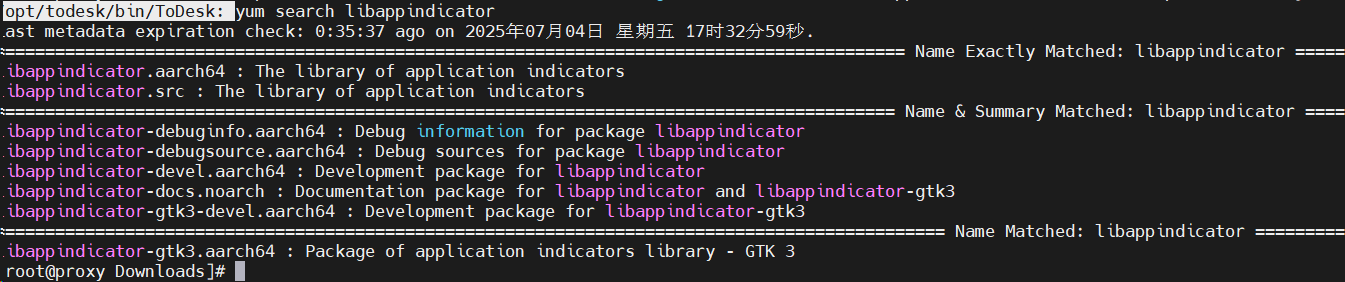
提示缺少依赖

在 openEuler 上,尝试安装依赖包
sudo yum install libappindicator-gtk3 libindicator-gtk3
查看连接密码
sudo grep password /etc/todesk/todesk.conf
查看实时日志:

```bash
journalctl -u todeskd -f --since "1 min ago"
常见问题
防火墙设置
# 开放必要端口
sudo firewall-cmd --permanent --add-port={80,443,8080}/tcp
sudo firewall-cmd --permanent --add-port={52000-52100}/udp
sudo firewall-cmd --reload
图形界面支持
# 检查是否有图形环境
echo $DISPLAY

# 如果没有显示,设置默认显示
export DISPLAY=:0

鲲鹏昇腾开发者社区是面向全社会开放的“联接全球计算开发者,聚合华为+生态”的社区,内容涵盖鲲鹏、昇腾资源,帮助开发者快速获取所需的知识、经验、软件、工具、算力,支撑开发者易学、好用、成功,成为核心开发者。
更多推荐
 3
3 0
0- 0


 已为社区贡献2条内容

所有评论(0)