
Navicat连接opengauss数据库
注:本次创建用户在修改配置之前所以在重启数据库后,需要把之前创建的用户密码修改一遍,使其密码采用MD5认证。password_encryption_type打开注释并修改为0(代表MD5加密)添加放行IP地址(IP地址修改为openEuler系统的IP)连接方式选择postgres,用户选择刚才创建的远程连接用户。listen_addresses修改为*如果有指定ip地址,可以根据需求修改。#行号
Navicat连接opengauss数据库
一、修改配置文件,设置远程连接
①修改放行ip
listen_addresses修改为*
password_encryption_type打开注释并修改为0(代表MD5加密)
[root@opengauss ~]# vim /var/lib/opengauss/data/postgresql.conf
listen_addresses = '*'
password_encryption_type = 0
[root@opengauss ~]# vim /var/lib/opengauss/data/postgresql.conf
listen_addresses = '*'
password_encryption_type = 0#行号大概在68和111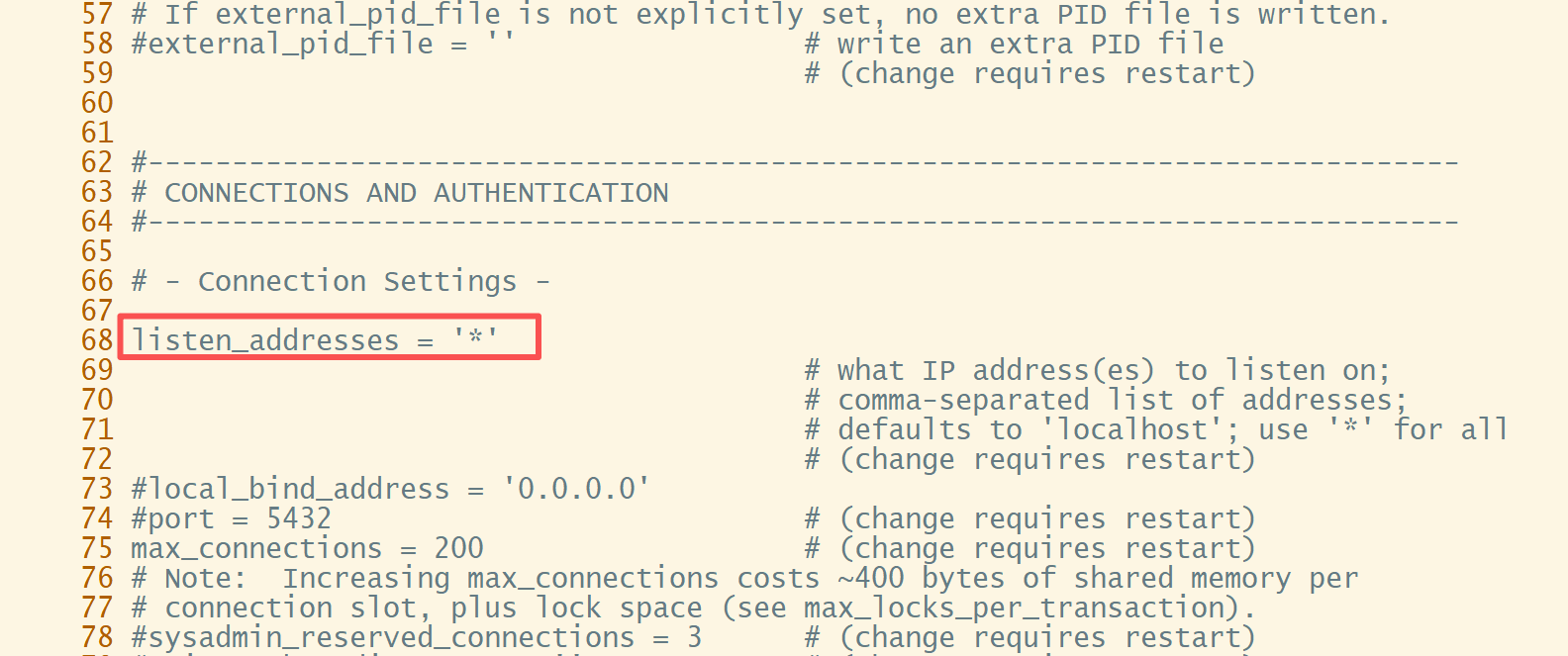
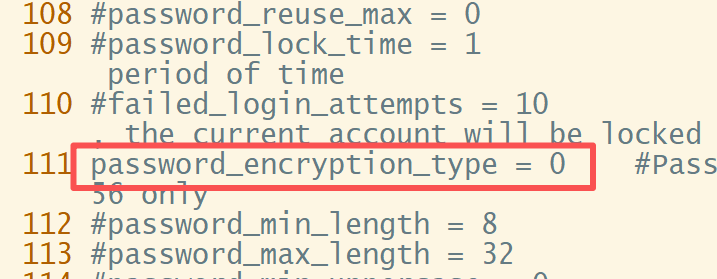
添加放行IP地址(IP地址修改为openEuler系统的IP)
# vi /var/lib/opengauss/data/pg_hba.conf
# vi /var/lib/opengauss/data/pg_hba.conf
  ...
  88 # "local" is for Unix domain socket connections only
  89 local   all             all                                     trust
  90 # IPv4 local connections:
  91 host    all             all             192.168.100.50/24        md5
  92 host    all             all             0.0.0.0/0                md5
  ...
第一个all表示允许连接到任意数据库,第二个all表示任意用户都可以连, 0.0.0.0/0表示任意IP地址,MD5为认证方式。
如果有指定ip地址,可以根据需求修改
重启数据库使修改配置生效
gs_ctl stop
gs_ctl start
②创建远程链接数据库用户
注:本次创建用户在修改配置之前所以在重启数据库后,需要把之前创建的用户密码修改一遍,使其密码采用MD5认证
[openGauss@ecs2 ~]$ gsql -d postgres -p 7654
openGauss=# create user test with password "OUYE@123";
CREATE ROLE
openGauss=# GRANT ALL PRIVILEGES to test;
ALTER ROLE
openGauss=# create database db_tpcc owner test;
CREATE DATABASE
openGauss=# \l
                                   List of databases
   Name    |   Owner   | Encoding |   Collate   |    Ctype    |    Access privileges
-----------+-----------+----------+-------------+-------------+-------------------------
 db_oa     | oaadmin   | UTF8     | en_US.UTF-8 | en_US.UTF-8 | =Tc/oaadmin            +
           |           |          |             |             | oaadmin=CTc/oaadmin    +
           |           |          |             |             | oaadmin=APm/oaadmin
 db_tpcc   | test      | UTF8     | en_US.UTF-8 | en_US.UTF-8 |
 postgres  | opengauss | UTF8     | en_US.UTF-8 | en_US.UTF-8 |
 template0 | opengauss | UTF8     | en_US.UTF-8 | en_US.UTF-8 | =c/opengauss           +
           |           |          |             |             | opengauss=CTc/opengauss
 template1 | opengauss | UTF8     | en_US.UTF-8 | en_US.UTF-8 | =c/opengauss           +
           |           |          |             |             | opengauss=CTc/opengauss
(5 rows)
[openGauss@ecs2 ~]$ gsql -d db_tpcc -p 7654 -U test
Password for user test:

db_tpcc=> create table mytable(firstcol int);
CREATE TABLE
db_tpcc=> insert into mytable values (100);
INSERT 0 1
db_tpcc=> select * from mytable;
 firstcol
----------
      100
(1 row)

db_tpcc=> \q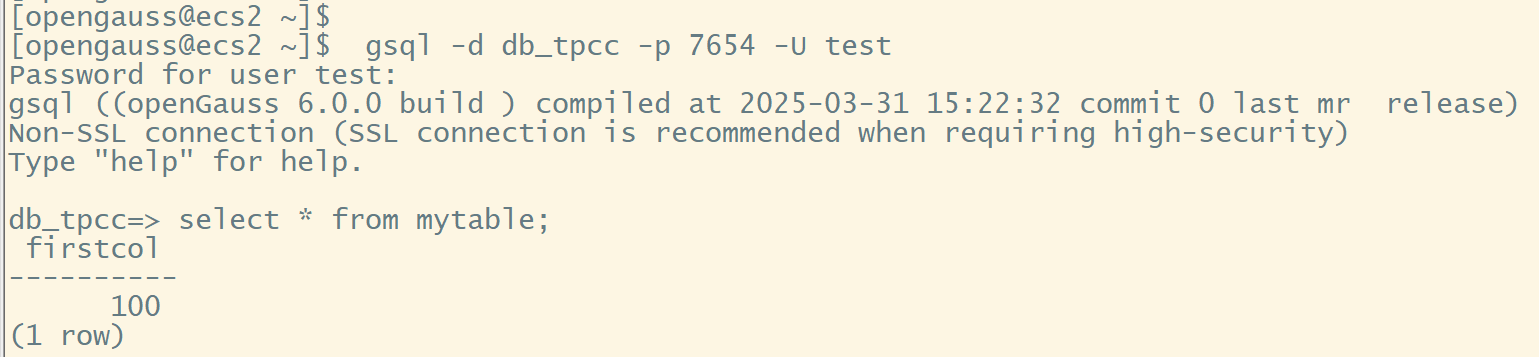
修改密码
openGauss=# alter role test identified by 'ouye@123' replace 'OUYE@123';
NOTICE:  The encrypted password contains MD5 ciphertext, which is not secure.
ALTER ROLE
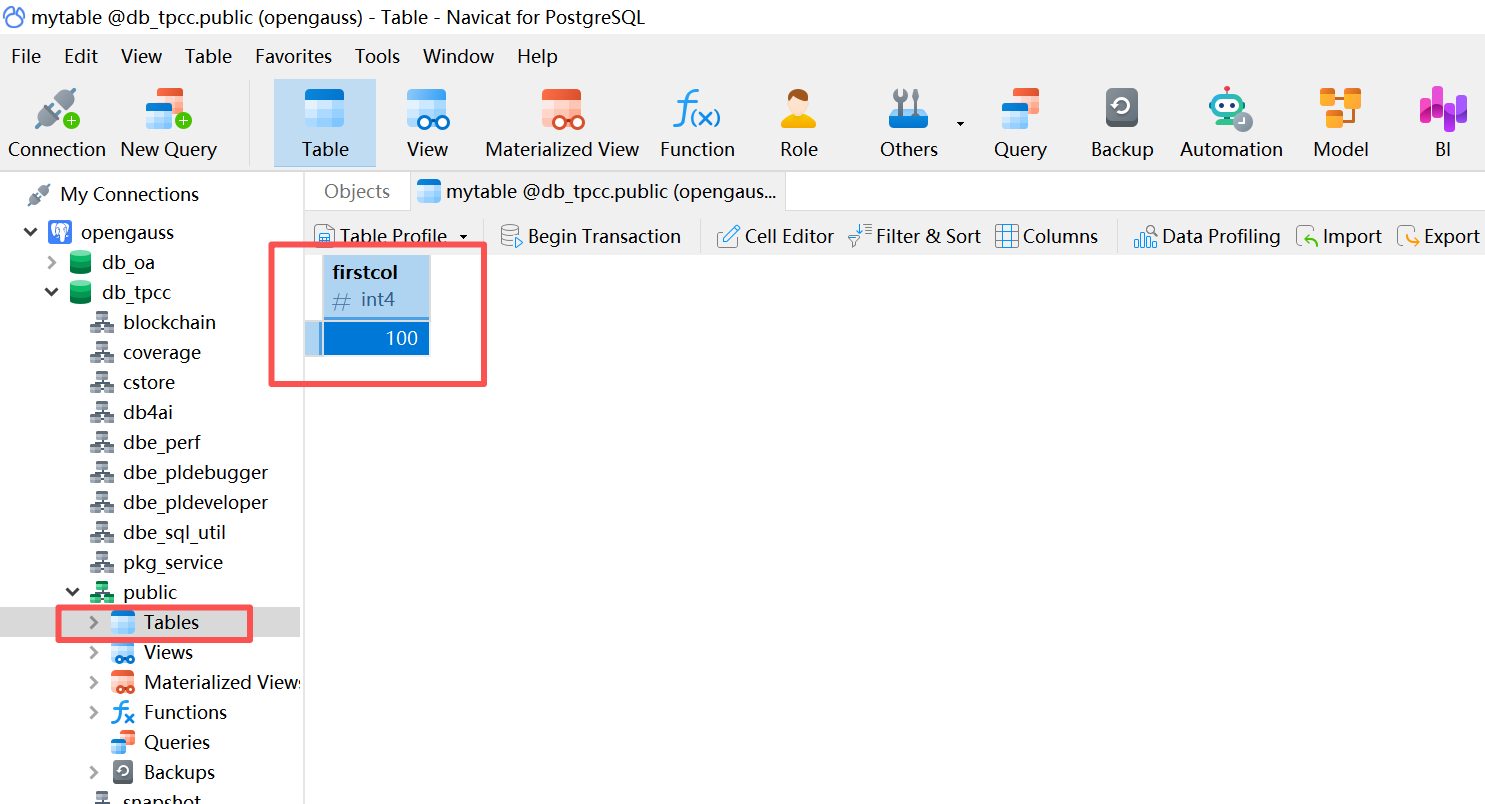
二、Navicat链接opengauss
连接方式选择postgres,用户选择刚才创建的远程连接用户
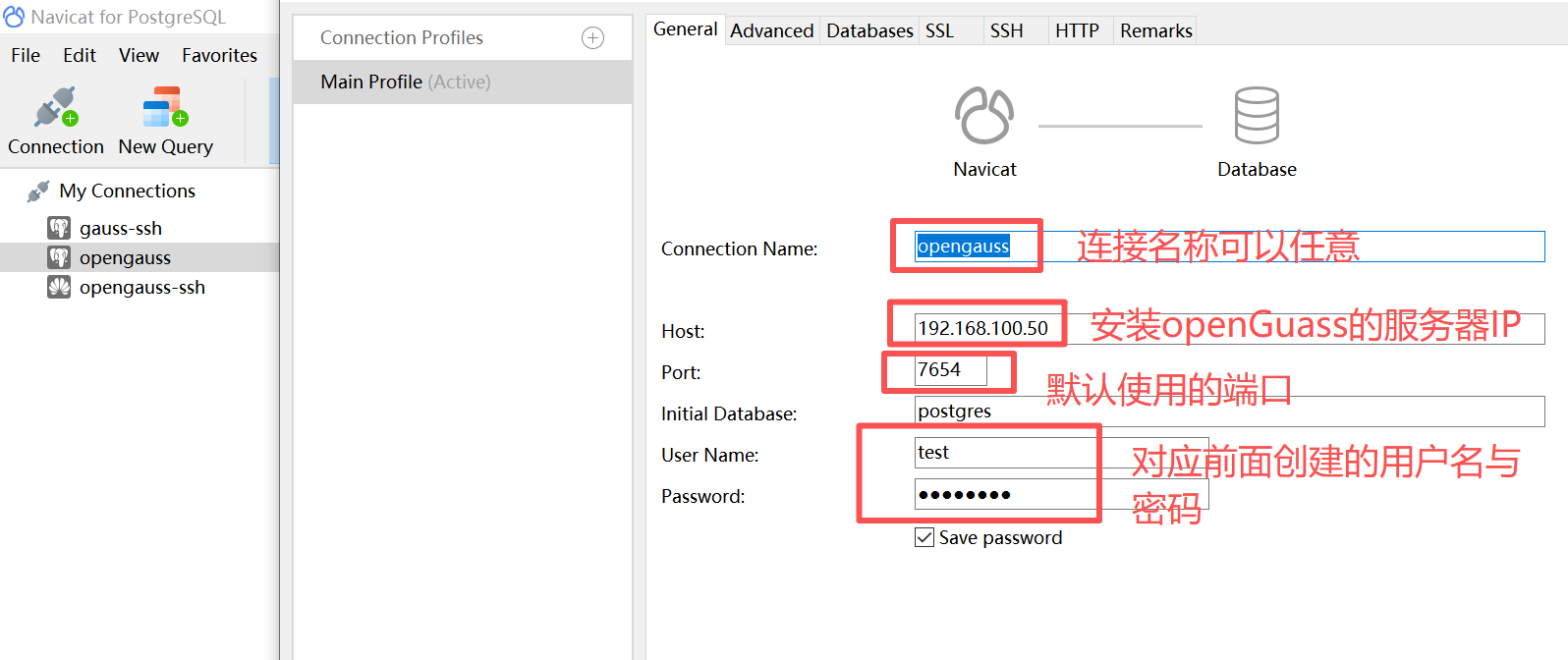
验证成功

鲲鹏昇腾开发者社区是面向全社会开放的“联接全球计算开发者,聚合华为+生态”的社区,内容涵盖鲲鹏、昇腾资源,帮助开发者快速获取所需的知识、经验、软件、工具、算力,支撑开发者易学、好用、成功,成为核心开发者。
更多推荐

 26
26 0
0- 0


 已为社区贡献1条内容

所有评论(0)